Score calculation logic

Updated on 28.09.26

4 minutes to read

Copy link
Overview
In SEON, each transaction receives a fraud score that reflects the likelihood of fraud. This score helps determine how the transaction should be handled — approved, reviewed or declined.
How the fraud score is built
The fraud score is built from the scores of all rules triggered during a transaction. Each rule has a defined decimal value (for example, -15.00 or +3.00), which is applied when the rule is triggered. Rule scores are not simply added together in one step. They are summed in stages, and each stage is normalized before the next one. As a result, a negative score from one group of rules can't always offset a positive score from another.


What impacts a transaction’s score
Several factors can influence how a transaction’s final fraud score is calculated:
- Score weights
- Modify score option in velocity rules
- Result of the rules (state, score)
Score weights
You can adjust how strongly email and IP rules affect the fraud score by applying score weights in the Settings page.
- Weights are applied as percentages, ranging from 0% to 200%.
- These weights scale the original rule scores up or down.


Modify score setting in velocity rules
Velocity rules include an optional Modify score setting that dynamically adjusts a rule’s score based on how much a value exceeds (or falls below) a defined threshold.

This option can be used when the velocity condition includes numeric comparison operators such as >, <, >= or <=.
How it works
The additional score is calculated as:
int(abs(right side - left side)) * modifyscore
- The modify score value is always stored as a positive number
- In the UI, it is displayed using the same sign as the rule’s base score
When only score-based rules are triggered
1. Default rules are evaluated first
Scores are calculated separately for standalone categories (email, IP, phone, device).
2. Standalone category scores are normalized
Any negative category score is adjusted to 0, and all category scores are kept between 0 and 100.
3. The default fraud score is calculated
The default fraud score is calculated by combining the standalone category scores — applying any configured weights where relevant — with the scores from all other default rules. The result is normalized to ensure it falls within the 0–100 range.
4. Custom rule scores are added
Scores from custom rules are then added to the default fraud score, and the total is normalized again to remain between 0 and 100. At this point, SEON has calculated the final fraud score for the transaction.
5. Transaction state is determined
The final score determines the transaction's state (APPROVE, REVIEW or DECLINE) based on the State thresholds defined in Settings.
Why negative default rule scores may not lower your fraud score
Default rules for email, IP, phone and device are each scored as a separate category. Within a category, rule scores are added together, so a negative rule can offset a positive rule in the same category.
After each category's total is calculated, it is normalized to the 0–100 range. A category total below 0 becomes 0 before it is combined with anything else, so it can't reduce positive scores from another category.
The same applies to the default fraud score as a whole. It is normalized to 0–100 before custom rule scores are added.
Example: Email rules -10 » 0 (normalized) · Phone +15 · IP +5 » default fraud score 20 · Custom rules -3 » final fraud score 17. If every rule score had simply been added together, the result would have been 7.

When state-based rules are triggered
If a transaction triggers at least one state-based rule, SEON skips the regular score calculation and relies only on state-based outcomes. Blacklisting and whitelisting rules are handled as state rules.
If multiple state rules trigger and conflict, SEON resolves the final state using the State conflict settings.
Once the final state is determined, SEON assigns the score as follows:
- APPROVE: score is set to 0
- REVIEW: score is set to the lower bound of the Review threshold
- DECLINE: score is set to 100
Blacklist and whitelist matches
If a transaction matches a blacklist or whitelist entry, the state is immediately determined:
- Blacklist only: DECLINE (score = 100)
- Whitelist only: APPROVE (score = 0)
- Both: REVIEW (score = lower review threshold)
Blacklist and whitelist similarity
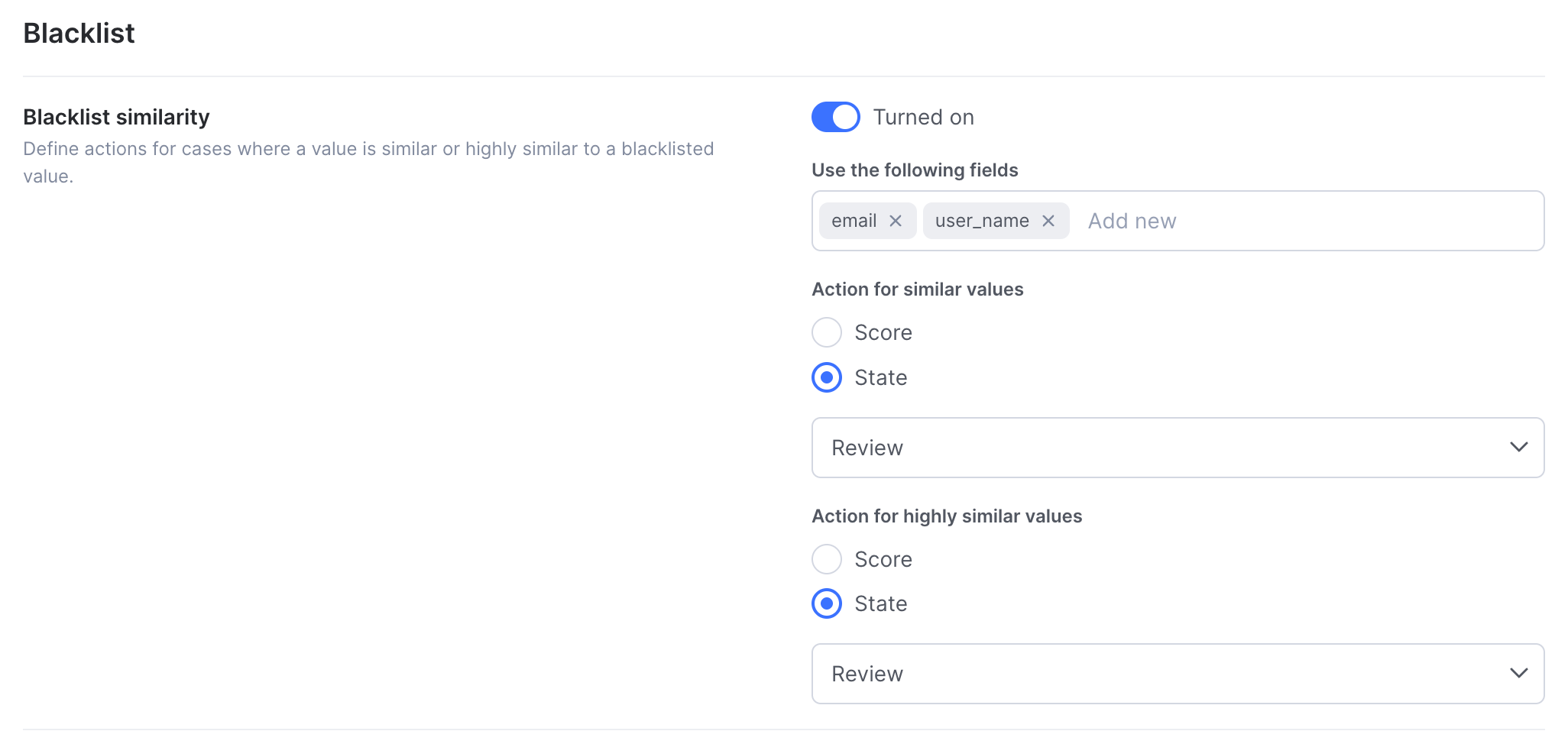
Similarity-based matching allows SEON to detect values that are not an exact match, but are still close enough to suggest intentional variation. This is commonly used to catch blacklist evasion, multi-accounting or repeated abuse attempts where small changes are made to avoid detection.
How similarity affects scoring and state
When similarity matching is enabled, a similarity match can behave in one of two ways, depending on customer configuration:
- As a state-based rule: The similarity match directly determines the transaction’s state (APPROVE, REVIEW or DECLINE), overriding regular score calculation.
- As a score-based rule: The similarity match contributes a score, which is added to the transaction’s fraud score and processed through the standard scoring logic.
This flexibility allows you to decide whether similarity should immediately block or allow transactions, or simply influence the final fraud score.

Standalone API score calculation
For standalone APIs (such as IP or Email), only rules relevant to that API are evaluated. For example, the IP API evaluates only IP-related rules.
Standalone scoring is supported for:
- Email v2
- Phone v1
- IP v1
Newer API versions do not calculate scores.
Rule categories and category-level scores
Customers can configure Rule categories to calculate scores or states at a category level.
- Category results are returned only if
rule_category_detailsis included in the Fraud API request - Categories can have their own state thresholds
- These scores and states are calculated only using the rules assigned to the category, and they do not affect the transaction’s final fraud score or state at all.
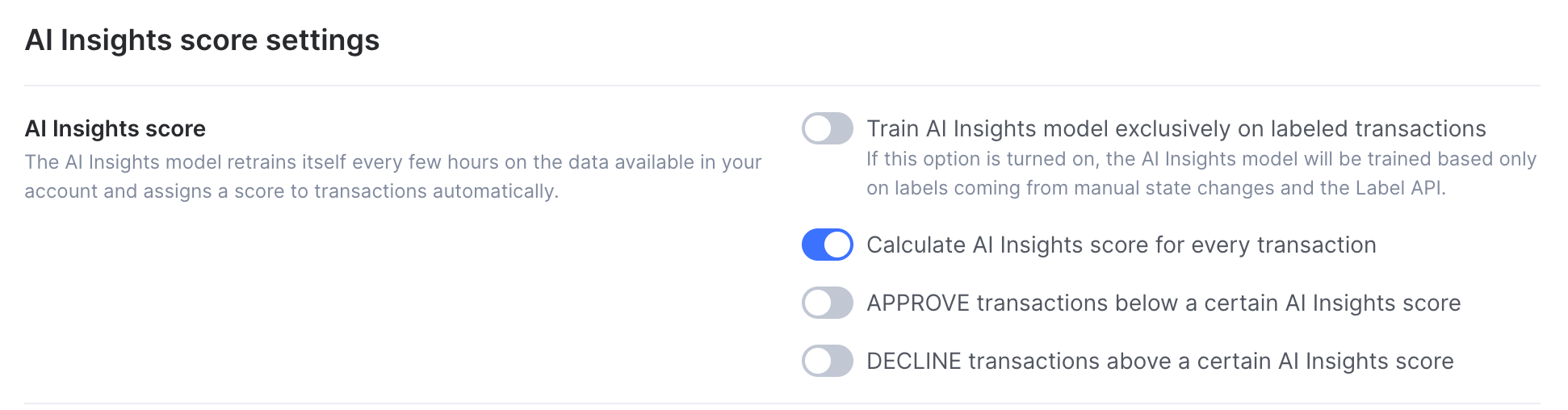
AI insights score
The AI insights score is calculated per transaction using machine learning models.
- It can be enabled from the Settings page
- When enabled, it may introduce hidden state-based rules
- These rules can automatically approve or decline transactions based on the AI score