


Configuring and tuning network detection

Updated on 22.04.26

5 minutes to read

Copy link
Key data processing facts
Transaction selection criteria
Network detection focuses on transactions that are most likely to be part of coordinated fraudulent activity. Calling the Fraud API is a prerequisite of using network detection.
The following transactions are processed:
- All transactions that have a monetary value (transaction amount is not 0)
- Transactions where email or phone data enrichment is requested, indicating a rich digital footprint
- All transactions with a DECLINE status
- Transactions with an APPROVE or REVIEW status that have a high number of similar transactions
Processing and analysis cadence
- Data latency: A transaction is typically ready for network detection within 2 hours of being received.
- Detection frequency: The detection algorithm runs automatically when 500 new transactions have been processed or after 5 minutes have passed (whichever comes first). This ensures continuity as the batch processing system scales to handle bursts of data when customer activity increases. Networks are dependent on the frequency of malicious activities: the first network will show up when there are actually suspicious coordinated activities that vary from customer to customer.
- Data window: The algorithm operates on the customer's most recent 2 months of data to ensure relevance.

Configuration options available
- Set the minimal size of the network (5 is the lowest allowed)
- Add or remove data fields for network detection. Minimum 5 fields must be added and a maximum of 50 fields can be used.
- Assigning weights to each data field. Every data field must have a weight on the Fibonacci grade (13 – 10 – 8 – 5 – 3 – 2 – 1), where the higher value indicates a more important role of the field.
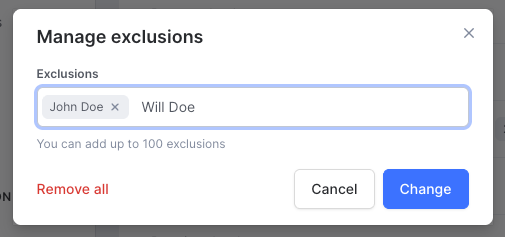
- Block exact values in any fields to prevent connections between customers. Maximum 100 excluded values per field.
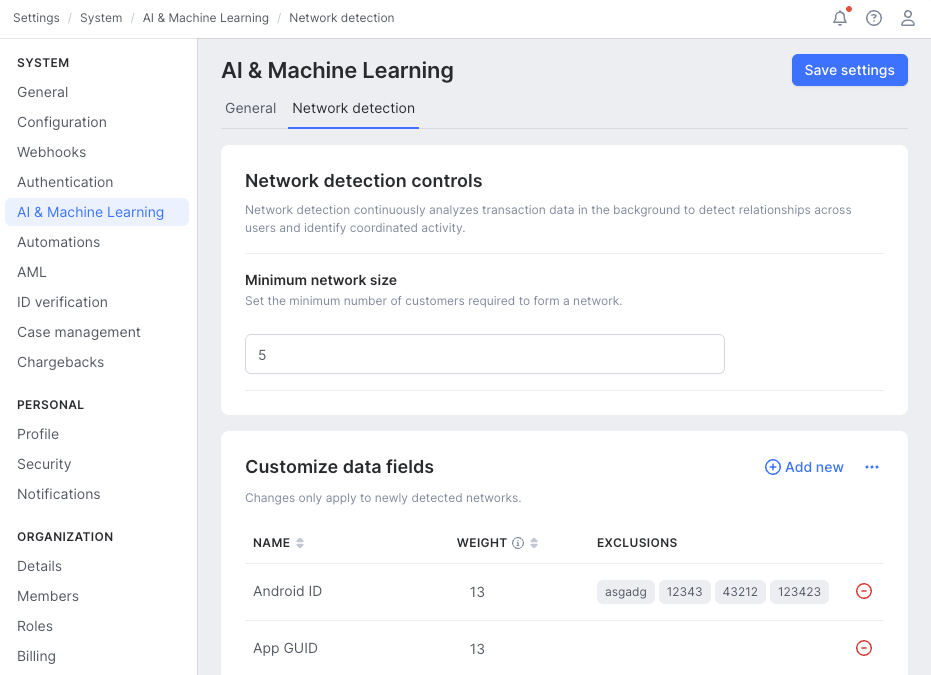

Initial configuration
By default, network detection has a generic configuration that is suitable for capturing typical fraud-suspect patterns. However, every business has its own specific risks, threats and data it relies on. Network detection performs best at proactively identifying suspicious groups when it is tuned to the actual risk patterns.
- Know your fraud patterns: Identify which data fields signal suspicious activity within the business. E.g., bot attacks are frequent, thus device data is crucial
- Know your data: Reliability of signals, common issues with data quality, frequencies of certain data values to distinguish what is common and what is unique
Questions to ask before changing settings:
What is the size of a typical fraud and money laundering ring?
What data fields describe the rings the best?
- What are the primary signals the analysts rely on?
- What secondary or weaker signals do the analysts look at when verifying a suspicious activity that would not be decisive alone?
What are the key identifiers of internal or testing traffic? (Internal email addresses, IPs, e.g.)
What are the identifiers of usual legit coordinated activities? (friends buying things together, e.g.)
Steps of initial configuration or tuning:
- Define the minimal network size — the number of customers within the smallest potential network
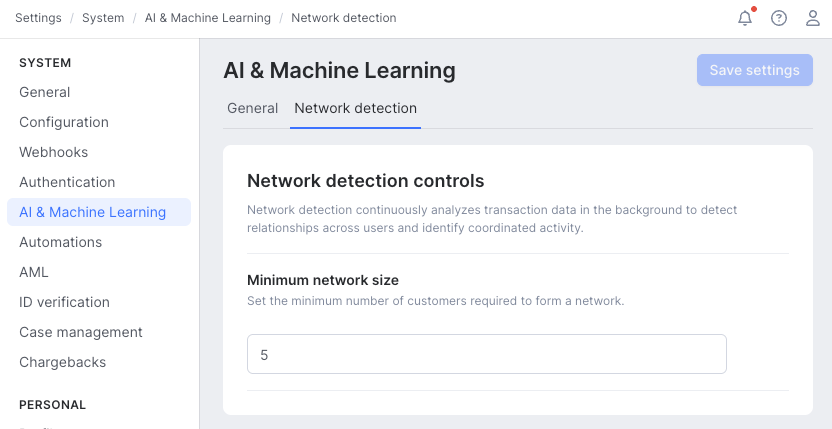
- Edit data fields used for network detection:
- Keep what is relevant from the default data field list
- Remove what is irrelevant in your business:
- Not a fraud or risk signal
- No such data is available
- Known issues with data quality. Such as the same value is received for most of the transactions and frequently missing values
- Add a data field to define primary or secondary fraud or risk signals. Assign a weight to the newly added data fields that represents their importance in identifying fraud or money laundering signs. (see more below)
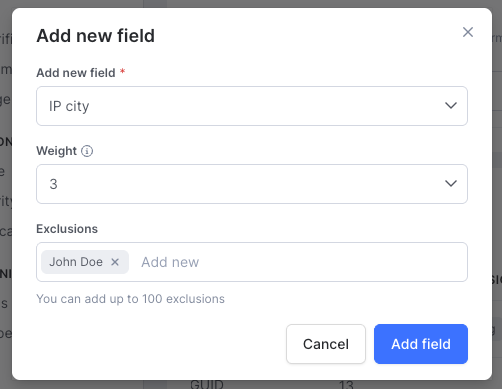
- Edit weights:
- Edit existing weights on the Fibonacci grade (13 – 10 – 8 – 5 – 3 – 2 – 1):
- Decrease: The field is less important as a signal. Networks with a high number of connections in this field, connecting many customers, are less likely to be marked as having high strength. Keeping it with a lower signal will ensure that the field is present as a connection, and add extra insights to more important fields connecting.
- Increase: The field is more important as a signal. Networks with a large number of connections based on in this field are more likely to have high strength. High weight indicates primary fraud and risk signals.
- Edit existing weights on the Fibonacci grade (13 – 10 – 8 – 5 – 3 – 2 – 1):
- Add exclusions: For each data field value, define exclusions to ensure that the specific value is not to be used to create a connection between customers in any networks. Use this option to handle known internal usage patterns (e.g., testing) or legitimate coordinated usage patterns. Values can be excluded on a one-by-one basis. This is also a key tool to treat known data quality issues in the traffic that may distort network detection, such as missing values and placeholder values.
- Examples: exclude internal email addresses used for testing (example1@mycompany.com, example2@mycompany.com,...)
- Example: exclude values to treat data quality issues (addresshash-es represent partially or completely missing addresses, filler values for any fields that are missing)
Assess networks on the Monitoring page and close false positives with the false alert reason to ensure they do not affect future networks detected.
Optimizing network detection
Improve network detection to reduce false positives, control the number of networks, or better capture suspicious patterns recently surfaced.
Control the number of networks:
- Increasing the minimum number of customers in a network will reduce the number of networks (fewer, but larger networks).
- Decreasing the minimum number of customers in a network will increase the number of networks (more, but smaller networks).
Reduce false positives:
- Mark clearly false positives as false alerts when closing a network status: this will ensure that the same network will not get surfaced again (treats the spots of false positives).
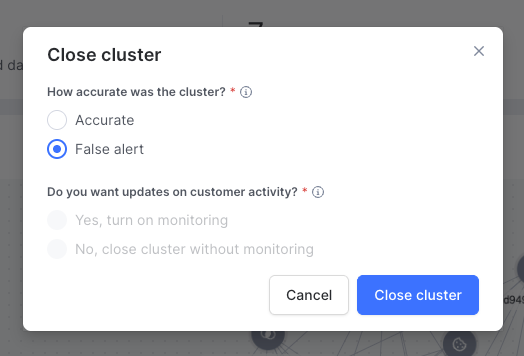
- The networks detected are likely not malicious coordinated activities.
- Exclude the data values representing legitimate actors within the network. Add those to their relevant data fields’ exclusion list.
- Remove entire data fields if they are highly correlated with legitimate activities.

- The networks detected include irrelevant connections and customers, or miss otherwise seen suspicious activities.
- If the connections are based on irrelevant data fields, remove the entire data fields from the list.
- If the connections are sometimes suspicious, but there are more represented in the networks than they should be, reduce their weight.
- If the networks lack known fraud or money laundering patterns, add the relevant data fields or increase their weights.
- If network strength does not correlate with business risk importance (i.e., more risky networks are not rated as high strength), increase the weights of key data fields common to those networks.
Capture suspicious patterns recently surfaced:
- Review and adjust network detection settings regularly. If new attack patterns are surfacing, adjust the settings to include the relevant data fields that capture their signs. For example, when bot attacks are spreading across the market, ensure that more device data fields are added to the network, each with its respective weight.

