


Branding and customization

Updated on 13.03.26

1 minute to read

Copy link
Overview
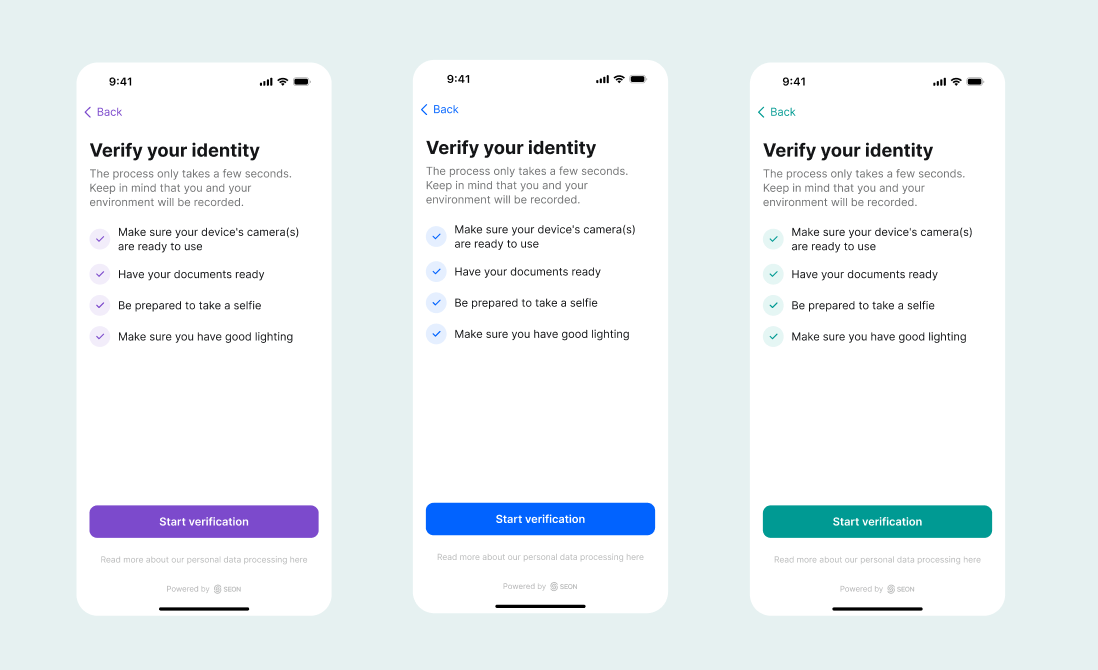
The Identity Verification (IDV) flow can be customized to match your brand. You can adjust colors, fonts and logos to keep the experience consistent with the rest of your product.
This page explains what you can customize and which parts of the verification flow remain standardized.
How it works
The branding can be adjusted through SEON’s Orchestration SDK. You can find the customization options under configuration parameters, where you can define colors, fonts, logos and other visual settings for the verification UI.
What you can customize
These settings allow you to create a branded experience while keeping the verification flow clear and accessible for end-users.
| Element | Customization options | Notes |
| Primary accent color | Buttons, links, progress indicators | Must meet WCAG 2.1 AA contrast requirements (4.5:1) |
| Text colors | Text on light surfaces and dark surfaces | Must meet contrast requirements |
| Logo | Your company logo displayed at the top of the verification UI | SVG recommended. PNG/JPEG supported. Max ~40px height. Must be publicly accessible via HTTPS |
| Font family | Custom web font | Google Fonts URLs only |
| Font weight | Font weights between 400–700 | Recommended: 400–600 for readability |
| Light mode / Dark mode | Separate color schemes for each | Both optional — if you configure only one, it will be used for both |
What you cannot customize
Some parts of the verification flow are intentionally standardized. This ensures consistent usability, accessibility and camera performance across devices.
- Layout and positioning: Optimized for usability and camera positioning
- Step order: Defined by the verification workflow
- Course correction text: System prompts for end user course correction while they are presenting documentation or taking a selfie in real time (for example “Hold still” or “Align document”) are standardized and localized
- Camera UI: Standardized to ensure consistent capture quality
- Error messages: Standardized for clarity and troubleshooting