


Shopify Flow Integration

Updated on 22.06.26

1 minute to read

Copy link
Overview
SEON integrates with Shopify Flow to enable advanced automation workflows. Use triggers, actions, and pre-built templates to customize how your store responds to fraud analysis results.
Shopify Flow is Shopify’s built-in automation platform. SEON provides both triggers (events that start a workflow) and actions (tasks that a workflow can execute) to help you build custom fraud prevention automations.

Triggers
Triggers are events from SEON that can start a Shopify Flow workflow. SEON provides three triggers:
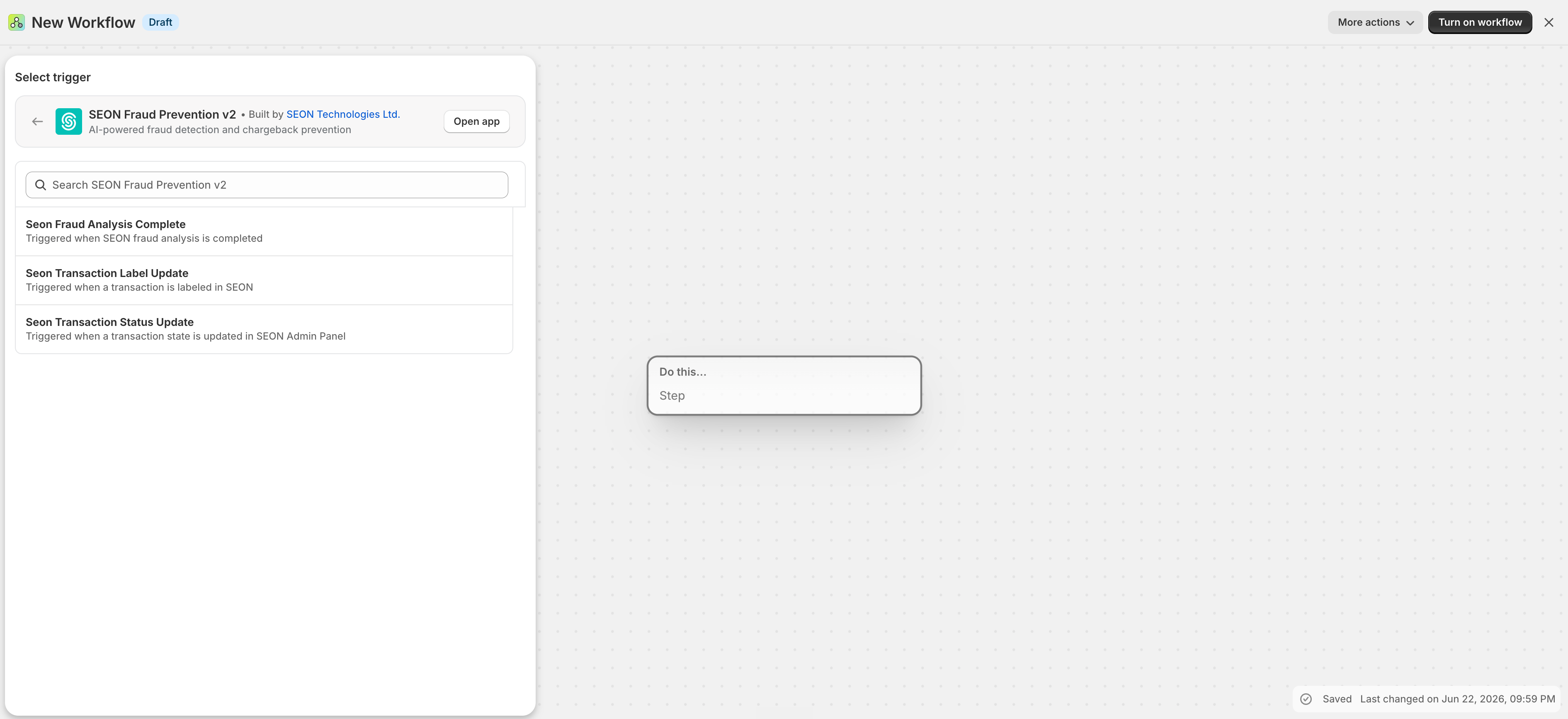
SEON Fraud Analysis Complete
Triggered when: SEON completes a fraud analysis on an order.
Data available in the workflow:
- Order reference
- SEON Transaction ID
- SEON State (APPROVE, REVIEW, DECLINE)
- Fraud Score
- Email Score
- Phone Score
- IP Score
- Blackbox Score (ML anomaly detection)
- List of applied rules
Use case: Trigger custom actions immediately after SEON scores an order — for example, send a Slack notification for high-risk orders, add specific tags based on score ranges, or create a task for your fraud review team.
SEON Transaction Status Update
Triggered when: A transaction’s state is manually updated in the SEON Admin Panel.
Data available in the workflow:
- Order reference
- SEON Transaction ID
- New state (APPROVE, REVIEW, DECLINE)
Use case: Respond to manual state changes made by your fraud review team — for example, release fulfillment hold when an analyst approves a previously reviewed order.
SEON Transaction Label Update
Triggered when: A transaction is labeled in the SEON Admin Panel (e.g., marked as confirmed fraud or legitimate).
Data available in the workflow:
- Order reference
- SEON Transaction ID
- Current state
- Applied label
Use case: Automate follow-up actions when transactions are labeled — for example, notify your team when a transaction is confirmed as fraud, or trigger a refund workflow.
Actions
Actions are tasks that SEON can perform when called from a Shopify Flow workflow:
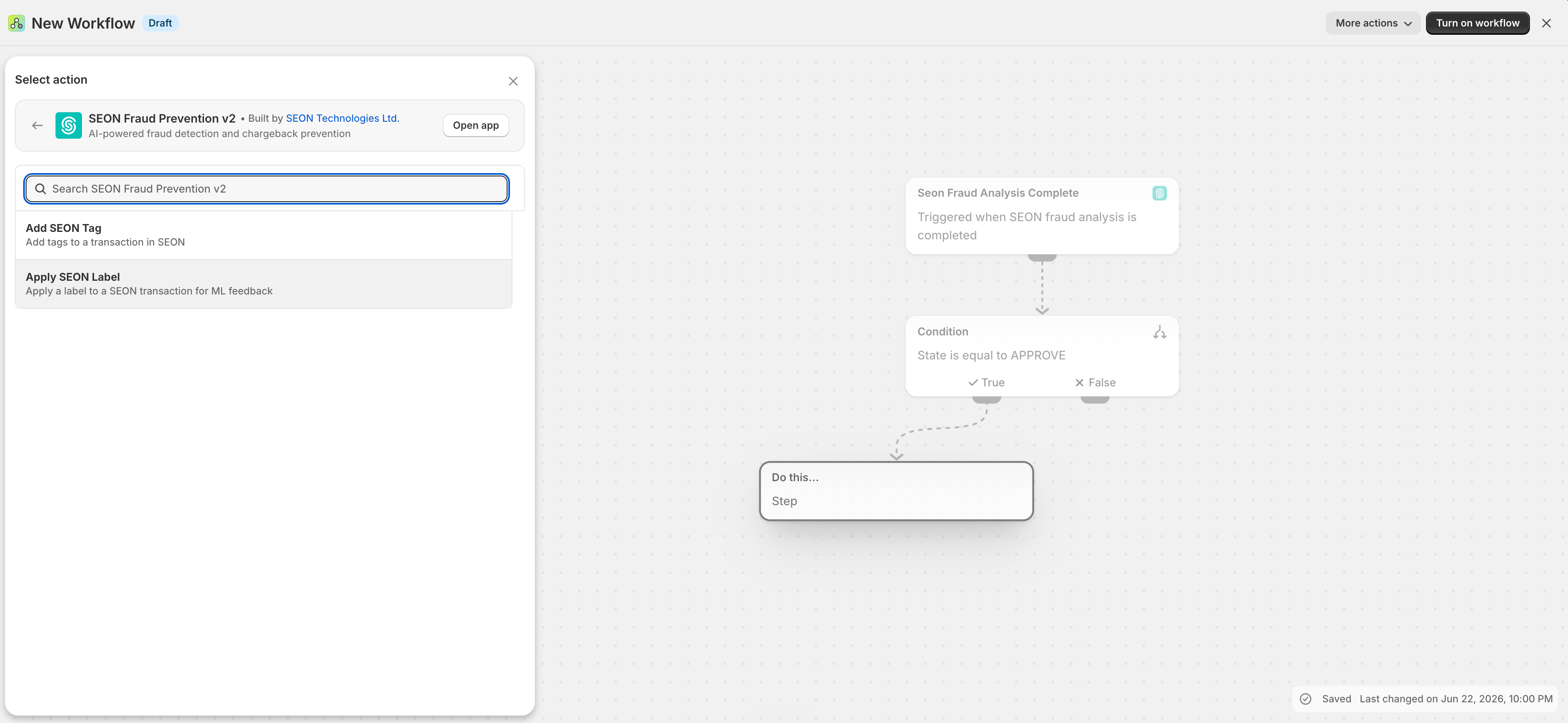
Add SEON Tag
What it does: Adds one or more tags to a SEON transaction. Tags appear in the SEON Admin Panel and can be used for filtering and reporting.
Inputs:
- Order — The Shopify order reference
- Tags — Comma-separated list of tags to add (max 50 tags, each up to 256 characters)
Use case: Automatically tag transactions in SEON based on Shopify-side conditions — for example, tag VIP customers, orders from specific regions, or orders meeting certain value thresholds.
Apply SEON Label
What it does: Applies a label to a SEON transaction for machine learning feedback. Labels help SEON’s AI models learn from confirmed outcomes.
Inputs:
- Order — The Shopify order reference
- Label — The label value to apply (see SEON Label API documentation for valid values)
Use case: Automatically label transactions based on downstream events — for example, label a transaction as ecommerce_fraud when a chargeback is filed.