


Settings: Chargeback Management

Updated on 22.06.26

1 minute to read

Copy link
About the automated chargeback management service
SEON offers an automated chargeback management solution powered by Chargeflow. This service automates chargeback dispute management to improve your dispute win rate. Managing chargebacks manually is time-consuming and error-prone, especially with high transaction volumes. The automated service provides:
- Setup — Enable and connect in a few steps
- Automated dispute management — Automatically handles your disputes, reducing manual work
- Evidence collection — Gathers the evidence required for dispute submissions
- Insights — Overview of chargeback trends and dispute performance metrics
What you’ll see in Settings
The Chargeback Settings section in the app has two states depending on whether the service is active:
Before activation (no subscription)

You’ll see an Introducing Chargeback Management promotional card with:
- Send a request button — Submit a request to enable the service
- Learn more button — Link to documentation about the chargeback management service
After activation (active subscription)
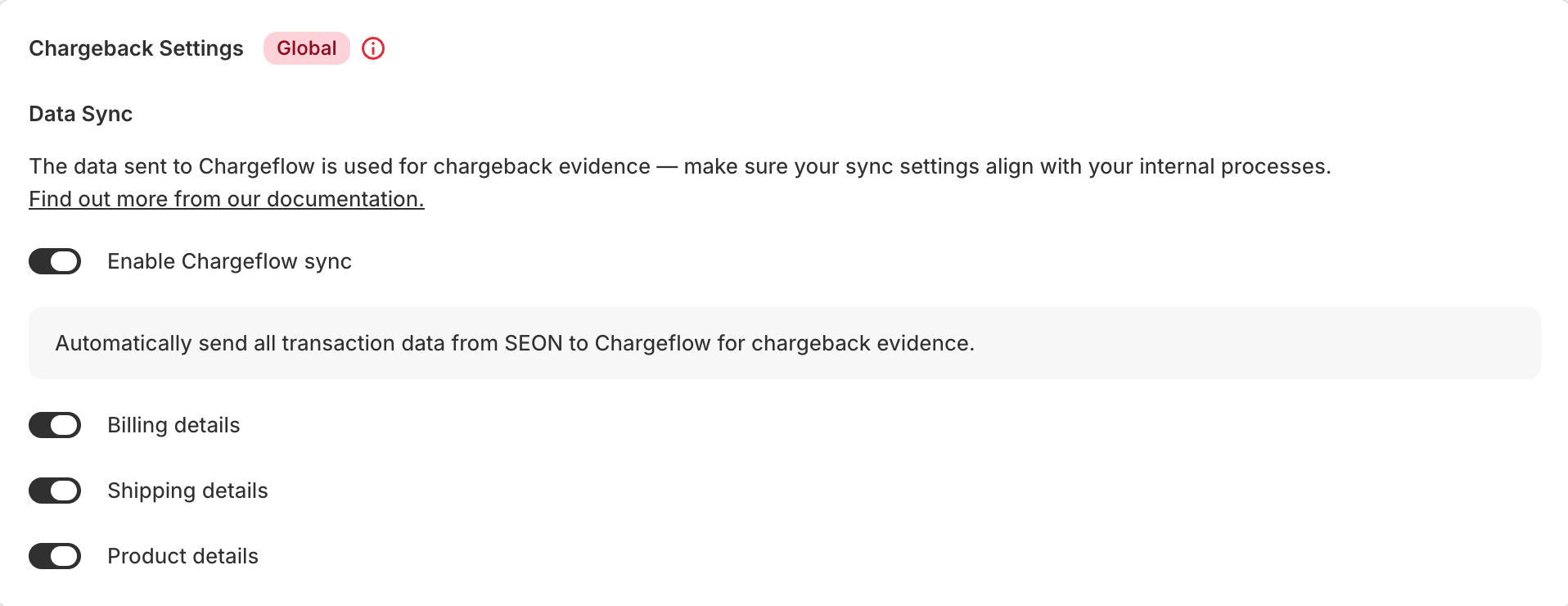
Once enabled by SEON, the section changes to show the Chargeback Settings card with data sync controls.
How to get started
- Ensure the SEON Shopify app is installed and active.
- Contact SEON — Reach out to your SEON representative or click Send a request in the Chargeback Settings section.
- Enable the service — Once enabled by SEON, the data sync settings will appear in your Settings page.
- Access the chargeback platform — Log in via the SEON Admin Panel under Chargebacks, which redirects you to the Chargeflow platform.
- Integration setup — Select Shopify as your integration in the Chargeflow platform and follow the setup guide.

Data sync settings
Once chargeback management is activated, you can control what transaction data SEON shares with Chargeflow to build evidence for dispute cases:
- Enable Chargeflow Sync — Master toggle — automatically sends all transaction data from SEON to Chargeflow for chargeback evidence.
- Billing Details — Sync billing address information with Chargeflow.
- Shipping Details — Sync shipping address information with Chargeflow.
- Product Details — Sync product information with Chargeflow.


Historical evidence & Visa CE3.0
In addition to current transaction data, SEON automatically queries your customer’s historical transaction history. The system searches for previous successful transactions that match criteria set out in the Visa Compelling Evidence 3.0 initiative — looking for shared elements like IP address, device fingerprint, or shipping address with the disputed transaction.
Even if you are not officially enrolled in the Visa CE3.0 program, this historical evidence significantly improves your chances of winning disputes.
Accessing the chargeback platform
You can access the Chargeflow platform in two ways:
- From Shopify — Find Chargeflow in your installed apps list
- From SEON — Log in to the Admin Panel and select Chargebacks
Features available in the platform
- Full chargeback data — Detailed information about all chargebacks
- Trends — Overview of chargeback patterns over time
- Recovered funds — Monitor disputed amounts recovered
- Dispute status — Track each dispute from submission to resolution
SEON dashboard integration
In the SEON Admin Panel:
- Transactions with disputes are tagged with the
Chargebacktag - Disputed transactions automatically receive the
ecommerce_fraudlabel - Their status is set to DECLINE