


Settings: AI Insights

Updated on 15.09.26

1 minute to read

Copy link
Overview
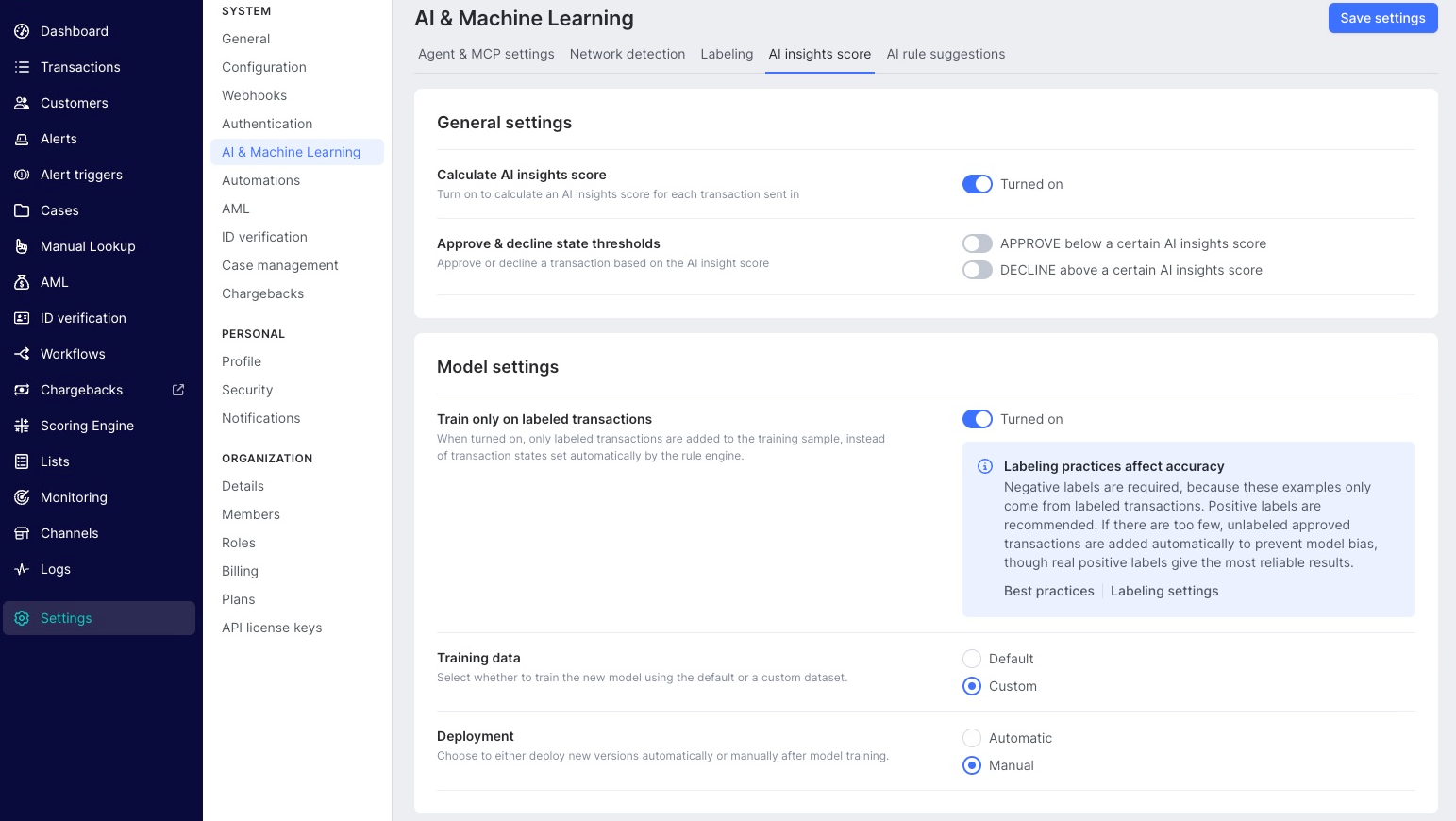
SEON's AI insights score model learns from your transaction data and assigns a risk score to every order. It adapts to the patterns specific to your store, so detection accuracy improves as more orders are processed.
The AI insights score settings let you configure:
- Which transactions the model trains on, and over what period
- Whether a trained model goes live automatically or waits for your approval
- Your automatic approval and decline thresholds
How to access
The AI insights score configuration is managed in the SEON Admin Panel, not in the Shopify app. To open it:
- Open the SEON Fraud Prevention app from your Shopify admin.
- Go to Settings.
- Scroll to the Customize AI Insights Behavior section.
- Select Configure in SEON Admin Panel.
- You are redirected to the SEON Admin Panel, where you can fine-tune the AI scoring engine.
What you can configure
In the SEON Admin Panel you can adjust:
- Training data: which transactions the model learns from, scoped by time period and filters.
- Deployment: whether a trained model goes live automatically, or is held as a candidate for you to review first.
- Approval and decline thresholds: the scores at which orders are approved or declined automatically.
For what each setting does, how to start a training run, and how to review, deploy and roll back model versions, see AI insights score and explanation.