


Settings: AI Insights

Updated on 22.06.26

1 minute to read

Copy link
Overview
SEON’s AI Insights model learns from your transaction data and assigns risk scores to orders. It adapts over time based on the patterns specific to your store, helping improve fraud detection accuracy as more orders are processed.
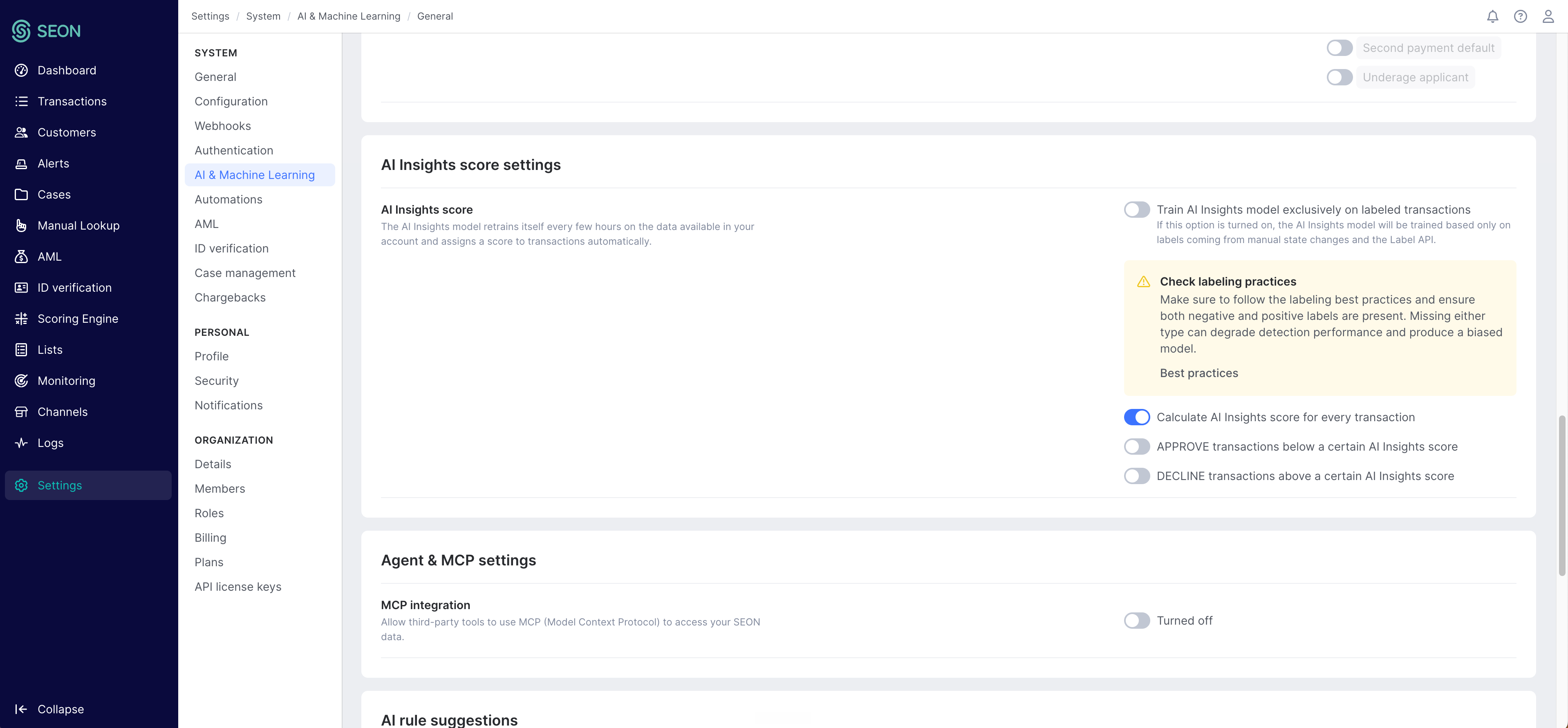
The AI Insights settings allow you to configure:
- How the model trains on your data
- What it scores
- Your automatic approval and decline thresholds
How to access
The AI Insights configuration is managed through the SEON Admin Panel, not directly within the Shopify app. To access it:
- Open the SEON Fraud Prevention app from your Shopify admin.
- Go to Settings.
- Scroll to the Customize AI Insights Behavior section.
- Click Configure in SEON Admin Panel.
- You’ll be redirected to the SEON Admin Panel where you can fine-tune the AI scoring engine.
What you can configure
Within the SEON Admin Panel, you can adjust:
- Training data — Control which transaction outcomes the model learns from
- Scoring sensitivity — Adjust how aggressively the model flags transactions
- Approval/Decline thresholds — Set automatic thresholds specific to the AI model